


// the katuva va resource center
Everything you need to decide whether a virtual assistant is right for your business.
Explore the tools, guides, examples, and program options below. Go at your own pace. No sales call required.
// step one
Where are you right now?
Pick the statement that sounds most like you. We'll point you to the part of this page that will help most.
// the timesaver calculator
What is doing it all yourself actually costing you?
Most owners undercount the hours they spend on inbox, scheduling, data entry, and follow-up, because it happens in five-minute pieces all day long.
Plug in your numbers and see what that low-value work costs you each year, in dollars and in time you could spend growing the business (or, you know, eating lunch sitting down).
// free download
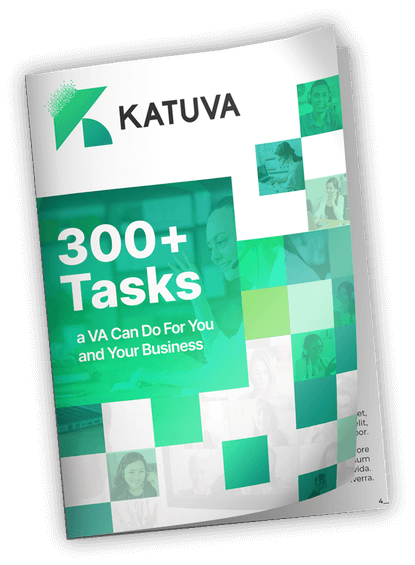
300+ tasks you can hand to a virtual assistant
An idea bank organized by business function. Skim it with a highlighter and you'll have a personal delegation list in about 20 minutes.
- Marketing systems: social, email, ads, SEO, copywriting
- Operations and financial systems: SOPs, reporting, bookkeeping support
- HR systems and personal tasks: recruiting support, scheduling, errands
// what to delegate first
Start small. Then let it grow.
The owners who get the most from a VA don't hand over everything on day one. They follow a simple progression.
Single, repeatable actions. Schedule the meeting, update the CRM, answer the routine email.
Multi-step work with a clear finish line. Launch the newsletter, clean up the client database.
Ongoing ownership of a whole function. Your VA runs it, documents it, and improves it.
The best first things to delegate are work that is:
- Repeatable
- Necessary
- Time-consuming
- Documentable
- Below your highest-value use of time
// watch · 14:46
How to actually delegate to your VA
A walkthrough of the Katuva T/P/S Roadmap: how to move from single tasks to projects to whole systems, without becoming your VA's full-time manager.
Tobe Brockner, Founder & CEO// example va roles
What a Katuva VA can look like in your business
Executive Assistant
For the owner who is drowning in the day-to-day.
- Inbox management
- Calendar and scheduling
- Travel planning
- Research
- General admin
Marketing VA
For the business that knows it should be posting more.
- CRM management
- Social media scheduling
- Email campaigns
- Canva graphics
- WordPress updates
Operations VA
For the team that runs on tribal knowledge and sticky notes.
- SOP documentation
- Reporting
- Project management
- Team and customer support
// what working with a va looks like
Never managed someone remotely? Here's the whole arc.
You don't need to be a seasoned manager. You need a clear starting point, and we help you build one.
- 01Role clarity
- 02Selection
- 03Onboarding
- 04Training
- 05Recurring ownership
- 06Expanding responsibility
// choose your fit
Empower or Empower+?
Both programs place a trained Katuva VA in your business. The difference is how much hands-on help you want designing and launching the role.
| Feature | EmpowerYou know what you need | Empower+You want a guide alongside you |
|---|---|---|
| Best for | Owners who already know what support they need | Owners who want more guidance designing and launching the role |
| Role and SOP development | More self-directed | Hands-on and guided |
| Launch support | Standard | Enhanced |
| One-time setup fee | $399 | $999 |
| Weekly hour options | 10 · 15 · 20 · 30 · 40 | 15 · 20 · 30 · 40 |
| Start with Empower | Start with Empower+ |
Hiring directly vs. hiring through Katuva
You can absolutely hire a VA on your own. Here's what that involves, and where the setup fee goes when you work with us.
Hiring directly, you handle:
- Defining the role
- Writing and posting the job
- Reviewing applicants
- Interviewing
- Vetting and skills testing
- Onboarding and training
- Starting over if it doesn't work out
With Katuva, we handle:
- Role definition support
- Sourcing and vetting
- Skills testing and matching
- Onboarding support
// client stories
Hear it from business owners like you
// not ready yet? get ready.
The VA readiness checklist
"Not yet" is a perfectly good answer. These five steps make sure that when you are ready, your first VA hits the ground running instead of waiting on you.
Checked off all five? You're ready for a real conversation.
Book a call// fair questions
The questions every owner asks
How do I know I'll have enough work for a VA?
If you can list 5–10 hours a week of recurring tasks, you have enough to start. Most owners find more once the first tasks are off their plate. Our smallest Empower plan starts at 10 hours a week.
What if I've never managed someone remotely?
Most of our clients hadn't either. Every engagement starts with getting clear on the role, and Empower+ adds hands-on guidance designing the role, building SOPs, and launching.
How much training will I need to provide?
You'll teach your specific processes, the way you would with any new team member. Documenting those processes ahead of time (even rough screen recordings) shortens ramp-up considerably.
What's the difference between Empower and Empower+?
Both place a Katuva VA in your business. Empower is more self-directed for owners who know what they need. Empower+ adds hands-on help designing the role, building SOPs, and launching. See the comparison above.
Why hire through Katuva instead of a marketplace?
You can hire directly, and some owners do. Hiring through Katuva means role definition, sourcing, vetting, skills testing, and onboarding support are handled for you, so you get to the productive part faster and with less risk.
Pick your next step.
Every path leads to the same place: more time back in your week. Choose the one that fits where you are.
Start with Empower
For owners who know what they need and are ready to add capable support.
Start EmpowerStart with Empower+
For owners who want hands-on help defining, launching, and integrating the role.
Start Empower+Book a call
Talk it through with our team and leave with a clear recommendation.
Book a call
